Previs for AI video · MCP server for Claude

Describe the shot.
Get the blockout.

Blendout is Blender without the learning curve. Tell Claude what happens and it blocks out the set, the actors, the camera moves and the cuts in a 3D studio that runs in your browser. Then export an MP4 your video model can follow frame by frame.

Works with Claude Code and Claude Desktop · Exports for Seedance, Kling, Veo, Higgsfield

Blendout blockout AI render

Drag to compare. Left: the grey blockout Claude built in Blendout. Right: an AI video model following it shot for shot.

Live, in your browser

Play with a real blockout.

This is the actual Blendout engine running on this page. Switch scenes, watch the cuts and slow motion, or orbit freely around the set.

Blendout
Loading the 3D studio…
0.0s

Make the reference here, then render it in SeedanceKlingVeoHiggsfieldRunwayLuma

How it works

From one sentence to a shot list your video model understands.

01

Say what happens

“A biker launches off a truck ramp in New York, a car explodes behind him, the two chasers wipe out, low front angle in slow-mo.” Plain English, timestamps if you like.

you 0:00–0:03 push through the open window of a red Porsche to a tight close-up of the driver…
02

Claude blocks it out

Over MCP, Claude builds the street, the cars, the riders and the explosion, keys the motion, places cameras with real framing, names the cuts and checks every shot on a storyboard.

apply_ops 154 ops · storyboard 5 shots · screenshot t=4.2s
03

Export and generate

Hit Export for an H.264 MP4 at any aspect. Paste the shot list and colour legend into Seedance or Kling with the video as the reference, and the model follows your blocking.

render_video 13.5s · 1280×720 · night-street-launch.mp4

Real output

The storyboard Claude reviews before you spend a credit.

Every shot rendered as a contact sheet, plus a shot list and colour legend ready to paste into your prompt.

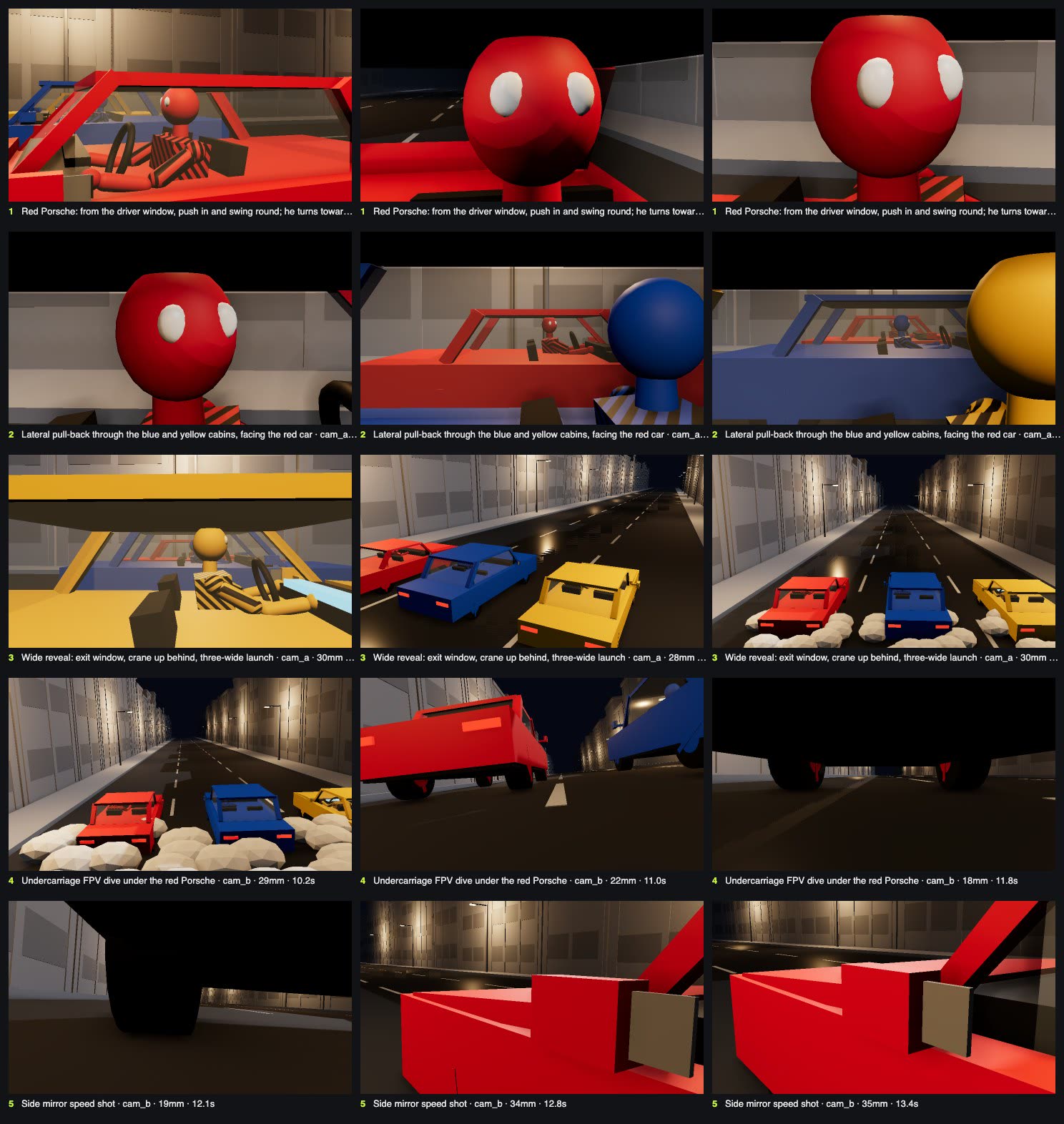
Storyboard of a five-shot night street race: in-car close-ups, a lateral pull-through, a crane-up launch, an under-car dive and a mirror shot
Night street launch · 5 shots · one-take camera through three cars
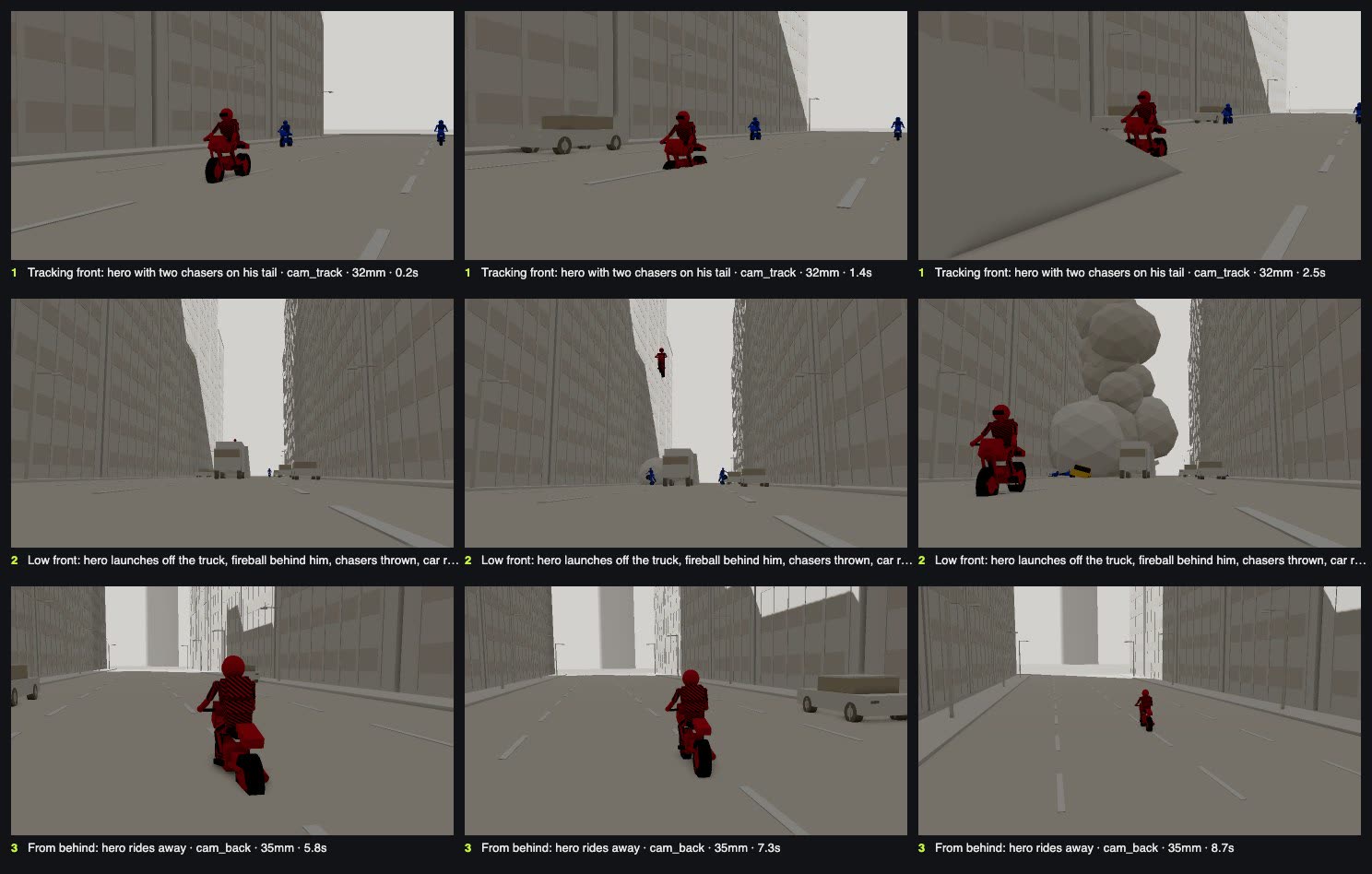
Storyboard of a motorbike launching off a truck ramp with an explosion behind
NYC truck-ramp jump · slow-mo low front angle
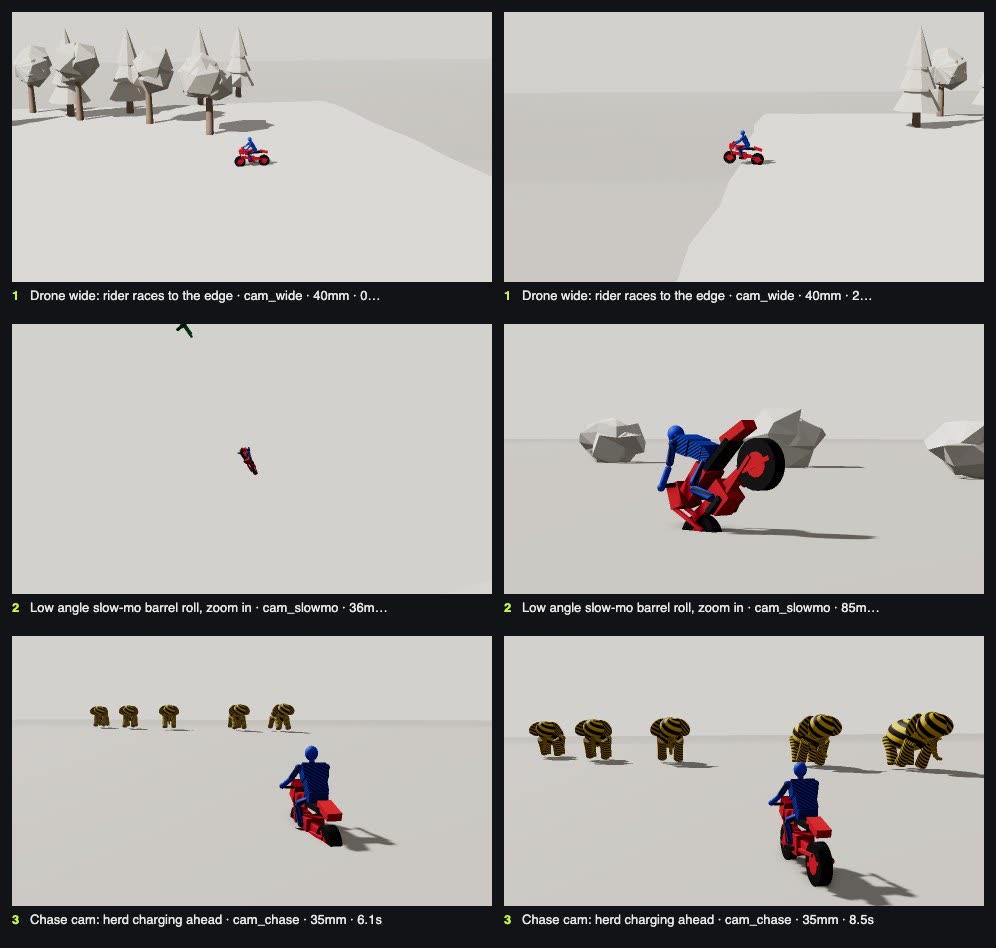
Storyboard of a biker jumping off a cliff with an elephant herd
Cliff jump · barrel roll · charging herd

The exported reference

Straight out of Blendout: 13.5 seconds, five named shots, real motion blur on the speed shot. This is the file you hand to the video model, together with the prompt below.

Download the MP4

Features

Everything a previs artist does, minus the 400 shortcuts.

Colour-coded subjects

Grey world, loud subjects. Every person, animal and vehicle group gets its own colour and stripes, and characters get eyes so facing reads. Your video model never mixes up who is who.

14 framings

Real camera language

Wide, medium, close-up, XCU, over-the-shoulder, POV, low, high, top-down, dutch. Framing is computed from the lens and the aspect ratio, and the camera rides along with moving subjects.

dolly_zoom · whip_pan · fpv

Moves that sound expensive

Push in, pull out, crash zoom, dolly zoom, pan, tilt, truck, crane, orbit, whip pan, FPV fly-throughs that bank into turns, and chase cams that fly under a moving car.

tripod → heavy handheld

Camera feel, under control

Locked tripod, smooth gimbal, drone, shoulder rig, light or heavy handheld. Subtle by default, lens-aware, with an intensity dial. No accidental jitter.

70 prefabs

A whole backlot

Articulated mannequins that walk, run, ride, drive and fall; elephants, horses, dinosaurs, birds; bikes, cars with see-through cabins, trucks, jets; cliffs, streets, townhouses; explosions, debris, dust, smoke.

slowmo · motion_blur

Edit like a director

Named cuts between cameras, slow motion and speed ramps that stretch the video, real motion blur in export, and a storyboard with a shot list for every version.

MCP

Claude drives, you steer

Six MCP tools: guide, get_scene, apply_ops, screenshot, storyboard, render_video. Claude builds in batches and checks its own framing. Everything appears live, and you can grab any object and tweak it.

H.264 · yuv420p

Exports that just work

Frame-accurate offline rendering to MP4 at 480p, 720p or 1080p, in 16:9, 9:16, 1:1, 4:5 or 2.39:1. Standard colour range, so every video model accepts it.

localhost

Yours, offline

A small Node app on your machine. Scenes are plain JSON you can save, share and version. No account, no upload, no credits.
Prompt pack

The prompt that turns a blockout into a film.

The colour legend maps the reference to your real cast. Swap in your scene and paste it next to the MP4.

Use the attached video as the motion, layout and camera reference. Match its blocking, timing, camera path, lens changes and cuts exactly. The reference is a grey 3D blockout: the solid colours and stripes only tell you who is who. They are not the real look. Render everything photoreal and cinematic.

WHO IS WHO IN THE REFERENCE
- Red car + red striped figure: a glossy red Porsche 911. Driver: Black man, late 20s, light grey hoodie under a black bomber jacket.
- Blue car + blue striped figure: a dark blue saloon. Driver: East Asian man, late 20s, both hands gripping the wheel.
- Yellow car + yellow striped figure: a yellow Toyota Supra. Driver: white man, 20s, olive hoodie, glowing cyan dash.
- Grey buildings: white stucco townhouses. Grey posts: warm streetlamps. Grey puffs: white tyre smoke.

LOOK
Night after rain, wet asphalt reflecting warm light, 35mm anamorphic film look, smooth gimbal camera, no shake.

TIMELINE
0:00-0:03 | Outside the Porsche's driver window, push in to a tight close-up; he turns toward camera.
0:03-0:07 | Sideways pull-back at head height through the blue and yellow cabins, still facing the red car.
0:07-0:10 | Exit, crane up behind the three cars; they launch three-wide in clouds of tyre smoke.
0:10-0:12 | FPV dive between red and blue, under the Porsche's chassis.
0:12-0:13.5 | Up the left fender to the rain-beaded mirror, heavy motion blur.

AVOID
Blocky shapes, coloured stripes on people or cars, extra cars, camera shake, text, watermarks.

Connect Claude in one line

Install, connect, ask for a scene.

1 · Install
curl -L -o blendout.zip https://blendout.pages.dev/download/blendout.zip
unzip blendout.zip && cd blendout
npm install && npm start
2 · Claude Code
claude mcp add blendout -- node "$PWD/server/mcp.js"
2 · Claude Desktop (claude_desktop_config.json)
{ "mcpServers": { "blendout": { "command": "node", "args": ["/path/to/blendout/server/mcp.js"] } } }
3 · Ask
A rider in full gear on a red Ducati launches off a truck ramp in New York. Two bikes chase him. An explosion behind throws the chasers. Low front angle, slow motion, then he rides away. Use blendout.

Download Blendout 0.1 Full docs